Search
HOW-TO ADD
FAVORITES are stored ONLY on your computer/device using cookies (Don't worry, it is a safest method).
As the info is stored on your device, your selected properties are just yours, no one can see or modify them.
To ADD to your list, just follow this easy steps:
- SEARCH for a property of your interest. There are many ways to do it (SEARCH FORM, MAP..)
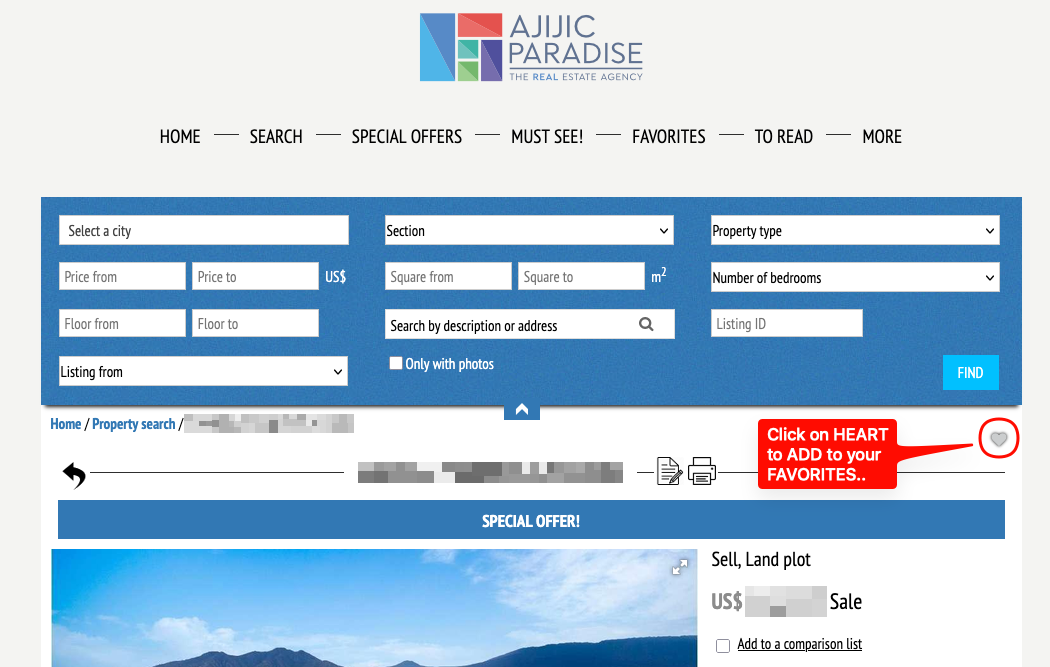
- Find the HEART icon to the right-up of property view, and click on it. Just that!
You can add as much favorites as you want, and every time you come back to our site, they will be in the FAVORITES section, as long as you use the same device or browser.
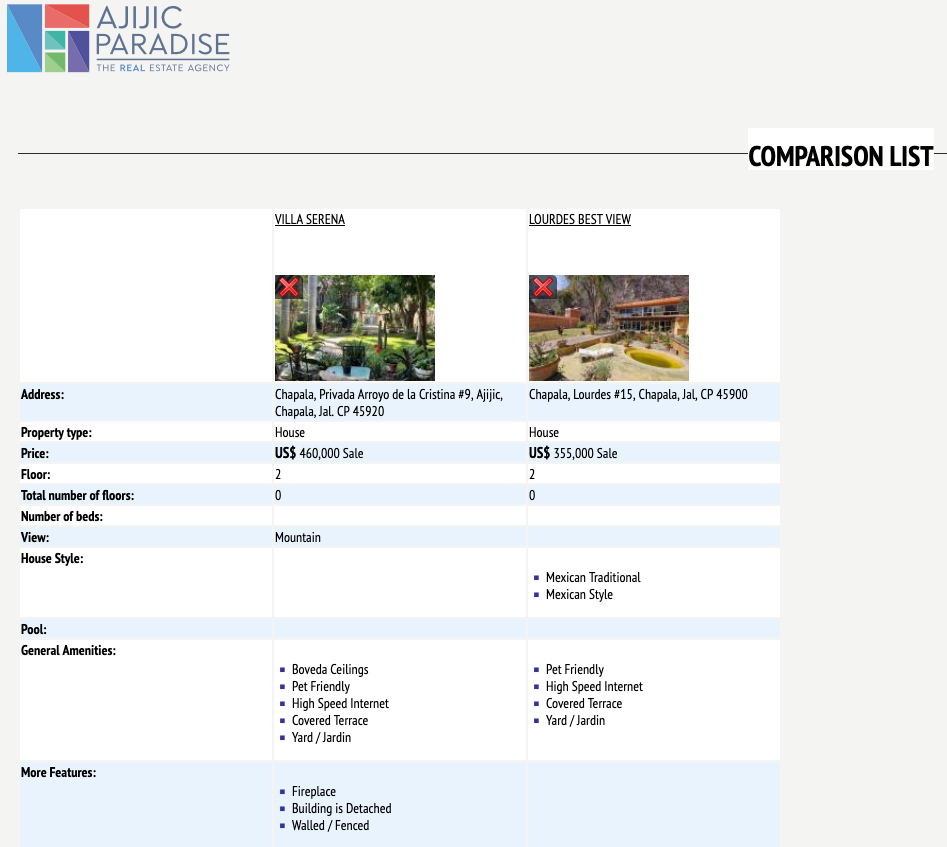
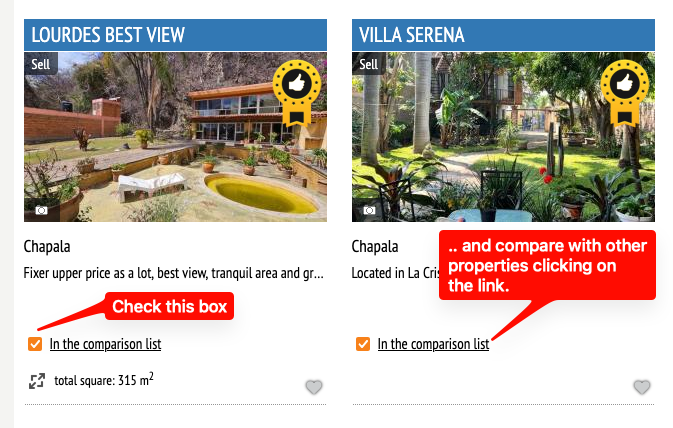
Remember that you can also make a comparison of your favorite properties. Just check the box at the botton of each property.
And you will get a full list of features of each property: